
Our Blog
How CAD Design and 3D Prototyping Accelerate Product Development
Expired
Bringing a product from concept to market requires speed and precision. CAD design and 3D prototyping have become essential tools for businesses looking to accelerate development while maintaining quality.
By combining digital modelling with rapid physical production, CAD design and 3D prototyping let companies test ideas, identify flaws, and refine designs faster than ever before. This article explores how CAD design and 3D prototyping work together to shorten timelines, reduce costs, and improve the final product.
The Foundation of CAD in Prototyping
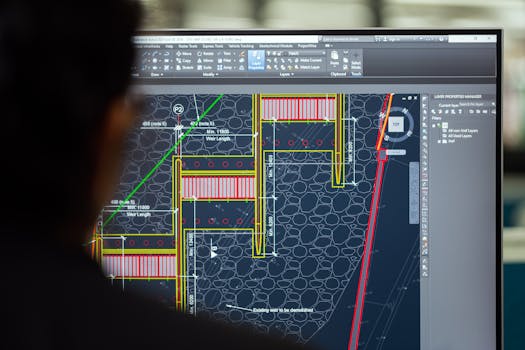
Computer-aided design (CAD) has been around since the first commercial systems appeared in 1964. CAD prototyping involves using software to design models that can eventually be produced.
Unlike general 3D modelling tools, CAD software is specifically built for engineering applications. It allows designers to work with precise constraints and create reproducible results, which is why CAD design and 3D prototyping work so well together for manufacturing-focused product development.
What Makes CAD Different from 3D Modelling
Many people use the terms interchangeably, but there is a clear distinction. CAD software is meant for designing models with specific constraints and reproducible results, while 3D modelling software focuses more on visual representation.
For prototyping, this difference matters. CAD ensures that every dimension, tolerance, and material property is captured accurately, so the physical prototype behaves as intended. Without this engineering rigour, a prototype might look right but fail in function — which is exactly the gap that CAD design and 3D prototyping are meant to close.
How Rapid Prototyping Brings CAD Models to Life
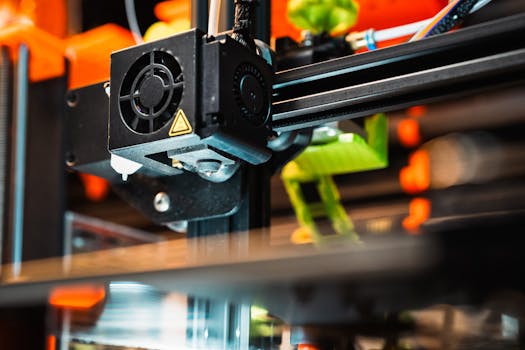
Rapid prototyping refers specifically to the fast manufacturing of a physical part or model using 3D CAD software. The digital design is transformed into a tangible object through one of several technologies.
The most well-known method is additive manufacturing (3D printing), but other options include casting, extruding, high-speed machining (such as CNC), and moulding. Each technology suits different materials, levels of detail, and production volumes, and choosing the right one is a key part of any CAD design and 3D prototyping strategy.
From Low-Fidelity to High-Fidelity Prototypes
Prototypes are not all created equal. Low-fidelity prototypes are simple to produce and far from the end product. They are useful for testing basic form and fit early in the process.
High-fidelity prototypes are much closer to the end product in appearance, function, and materials. Moving from low to high fidelity allows teams to validate core concepts quickly with CAD design and 3D prototyping, then invest more time in refining the final design only when the fundamental direction is confirmed.
The Advantages of CAD Design and 3D Prototyping
Combining CAD design and 3D prototyping delivers several clear advantages for product development:
-
Reduced time and cost – Iterating a digital model is faster and cheaper than re-tooling physical moulds or machining new parts from scratch.
-
Collaboration – CAD files can be shared instantly across teams and with external partners, allowing simultaneous review and input.
-
Risk elimination – Flaws in the design become apparent early in the digital phase, reducing the chance of expensive mistakes during production.
-
Precision and accuracy – CAD software captures exact dimensions and constraints, ensuring prototypes match the intended design.
-
Efficiency in design iteration – Multiple design variations can be tested quickly without rebuilding physical models each time.
-
Cost savings – Fewer physical prototypes and less material waste translate directly to lower development costs.
Together, these benefits make CAD design and 3D prototyping a core part of modern product development, rather than an optional extra step.
Key Features to Look for in CAD Software for 3D Printing
Not all CAD software is equally suited to 3D printing, and the right toolset can make or break your CAD design and 3D prototyping workflow. When selecting a tool for prototyping, consider whether it includes the following capabilities:
-
Design tools that support parametric modelling and solid modelling
-
Simulation and analysis features to test performance under real-world conditions
-
File export in standard 3D printing formats such as STL, OBJ, and 3MF
-
Optimisation functions for lightweight structures or material efficiency
-
Slicing integration to convert models directly into printer instructions
-
Collaboration features for sharing and version control
One example of software that integrates these elements is Autodesk Fusion, which brings together CAD, simulation, and manufacturing tools in a single solution for 3D printing.
Using a platform that covers the entire workflow from design to fabrication can reduce the need to transfer files between separate applications, streamlining CAD design and 3D prototyping from the first sketch to the finished part.
Real-World Application: Factory-Floor Prototyping
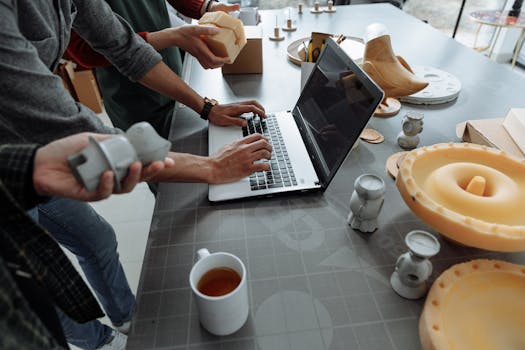
The speed of product development increases significantly when design and production teams work in close proximity. Some service providers, such as Logical Cad in the UK, place their design team directly inside the factory.
This arrangement allows them to prototype on the same machines that will be used for final production. Any issues discovered during prototyping can be addressed immediately, and the design can be optimised for the actual manufacturing process. This close-loop approach to CAD design and 3D prototyping eliminates the handoff delays that commonly slow down product development.
Choosing Between CAD and 3D Modelling for Your Project
The choice between CAD and general 3D modelling depends on the purpose of the prototype. If the goal is to test engineering performance, material behaviour, or assembly fit, CAD is the appropriate tool because it produces designs with specific constraints and reproducible results.
If the goal is purely visual, such as a presentation render or early concept sketch, 3D modelling software may be sufficient. For most product development workflows, a combination is used: CAD design and 3D prototyping for functional prototypes, and 3D modelling for aesthetic exploration.
Frequently Asked Questions
What is the difference between CAD and 3D modelling for prototyping?
CAD software is designed for engineering with precise constraints and reproducible results, making it ideal for functional prototypes. General 3D modelling software focuses on visual representation and is better suited for early concept renders or artistic work. Using the right tool for each stage of development saves time and improves accuracy, which is the whole point of pairing CAD design and 3D prototyping in the first place.
How much does a CAD design service typically cost in the UK?
Pricing varies by provider and project complexity. As a general reference, some UK services quote rates from £50-150 per hour plus VAT. It is advisable to request a quote based on your specific design requirements, as factors such as material choice, part size, and required tolerances influence the final cost.
What file formats are commonly used for 3D printing?
The most common file formats for 3D printing are STL, OBJ, and 3MF. CAD software should be able to export in these formats to ensure compatibility with slicing software and printers. Some advanced formats also support colour and material data, which can be useful for high-fidelity prototypes.
Is rapid prototyping limited to 3D printing only?
No. While 3D printing is the most widely recognised rapid prototyping technology, other methods include casting, extruding, high-speed machining (CNC), and moulding. The best technology depends on the material, required precision, and production volume. Many projects combine several methods within a single CAD design and 3D prototyping process to optimise speed and cost.
By integrating CAD design and 3D prototyping into their workflow, businesses can accelerate product development while maintaining the precision needed for successful manufacturing. Whether you are developing a simple part or a complex assembly, these tools help you test, refine, and launch with confidence.
